BBC iPlayer is a completely free internet streaming, catchup, television, and former radio service from the BBC. If you aren’t from the United Kingdom then you might not have heard of it as it’s only available to U.K. residents. It’s a great streaming service that offers a large variety of shows including great dramas as… Continue reading Ultimate Guide to watching BBC iPlayer with VPN 2022
Category: How-to Guide
Ultimate Guide to watching Sky Go with VPN 2022
WHY SKY GO? There’s no doubt about it, Sky Go is most definitely the place to enjoy Sky TV over the internet! All Sky customers can stream live channels, catch up on all of the programs that they previously missed, and even download shows to watch offline! It offers live streams as well as on-demand… Continue reading Ultimate Guide to watching Sky Go with VPN 2022
Ultimate Guide to watching Hulu with VPN 2022
WHAT EXACTLY IS HULU? If you haven’t heard of Hulu then you’ve either been living under a rock or you are outside the US and have simply never come across it. Basically, it’s an American subscription video-on-demand service that is fully controlled and majority-owned by the famous Walt Disney company. The ad-supported plan only costs… Continue reading Ultimate Guide to watching Hulu with VPN 2022
Ultimate Guide to watching Kodi with VPN 2022
WHAT EXACTLY IS KODI? We’ve all heard of Netflix, Disney Plus, Sky Go, etc but have you heard of the award-winning entertainment hub Kodi? It’s the ultimate entertainment center software as it plays almost every kind of media that you can find! It has so much to offer, there’s something for everyone! You won’t be… Continue reading Ultimate Guide to watching Kodi with VPN 2022
Ultimate Guide to watching Hotstar with VPN 2022
WHAT EXACTLY IS HOTSTAR? Hotstar is of course another subscription video-on-demand streaming service which based and available in India and owned/operated by star India. Hotstar has great content including film, television and sports. It also shows original programming as well as content from third-party partners such as Showtime and HBO. It operates international versions of… Continue reading Ultimate Guide to watching Hotstar with VPN 2022
Ultimate Guide to watching Amazon Prime Video 2022
Do you jump for joy when you discover a new movie to watch? Or maybe you enjoy bingeing on a great tv series, either way, if you are a huge movie fan you will most probably love Amazon Prime Video! It’s automatically included in your Amazon Prime membership so it’s very affordable too! If you… Continue reading Ultimate Guide to watching Amazon Prime Video 2022
Ultimate Guide to watching HBO Max with VPN 2022
WHAT DOES IT HAVE TO OFFER? HBO Max offers a very impressive on-demand library, as well as its apps, support the latest video streaming features, this includes multiple profiles as well as offline downloads! It also offers great premium television programming, including original series, live sports, and theatrical films! All of this is available in… Continue reading Ultimate Guide to watching HBO Max with VPN 2022
Ultimate Guide to watching DAZN with VPN 2022
DAZN’S POPULARITY! A lot of people absolutely love what DAZN has to offer however it can be very frustrating not being able to access games that are available in other countries and not in yours! The best way to unblock all of DAZN’s libraries is of course with a VPN! A VPN will hide your… Continue reading Ultimate Guide to watching DAZN with VPN 2022
Ultimate Guide to watching ESPN with VPN 2022
If you have tried to access ESPN while you are traveling abroad then you may have found that it’s not supported in the country that you are visiting. It can obviously be extremely frustrating. Unfortunately, live streaming with ESPN is unavailable for anyone outside the USA. And regional restrictions apply to those within the US!… Continue reading Ultimate Guide to watching ESPN with VPN 2022
How to use Smart DNS
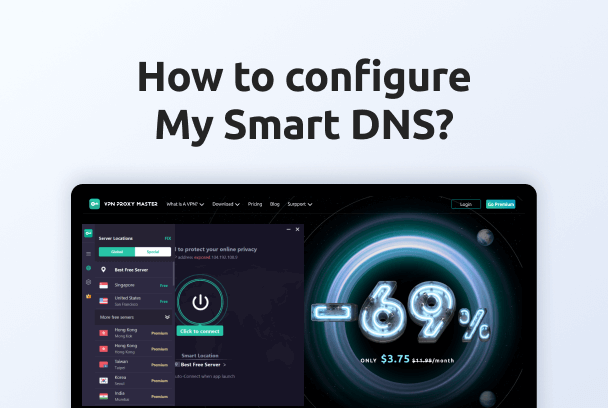
You can access restricted streaming content on your SmartTV by setting up a Smart DNS address. By setting a Smart DNS address on your devices, you can access the streaming content you need beyond geographical restrictions. Step 1: Log in to your account on VPN Proxy Master’s official website and visit the account dashboard to… Continue reading How to use Smart DNS